An open edge, missing eye protection or a ladder that falls short of a landing can need attention while the rest of the site keeps moving. Your safety manager cannot stand beside every crew on every floor.
Osha Ask is OSHA compliance software that reviews job site video and photos against OSHA requirements. We flag hazards and missing safety measures, together with the OSHA requirement each condition relates to. Your safety team sees what needs checking and decides how to respond.
Book a demo to see Osha Ask check footage from your site.
What OSHA Compliance Software Checks
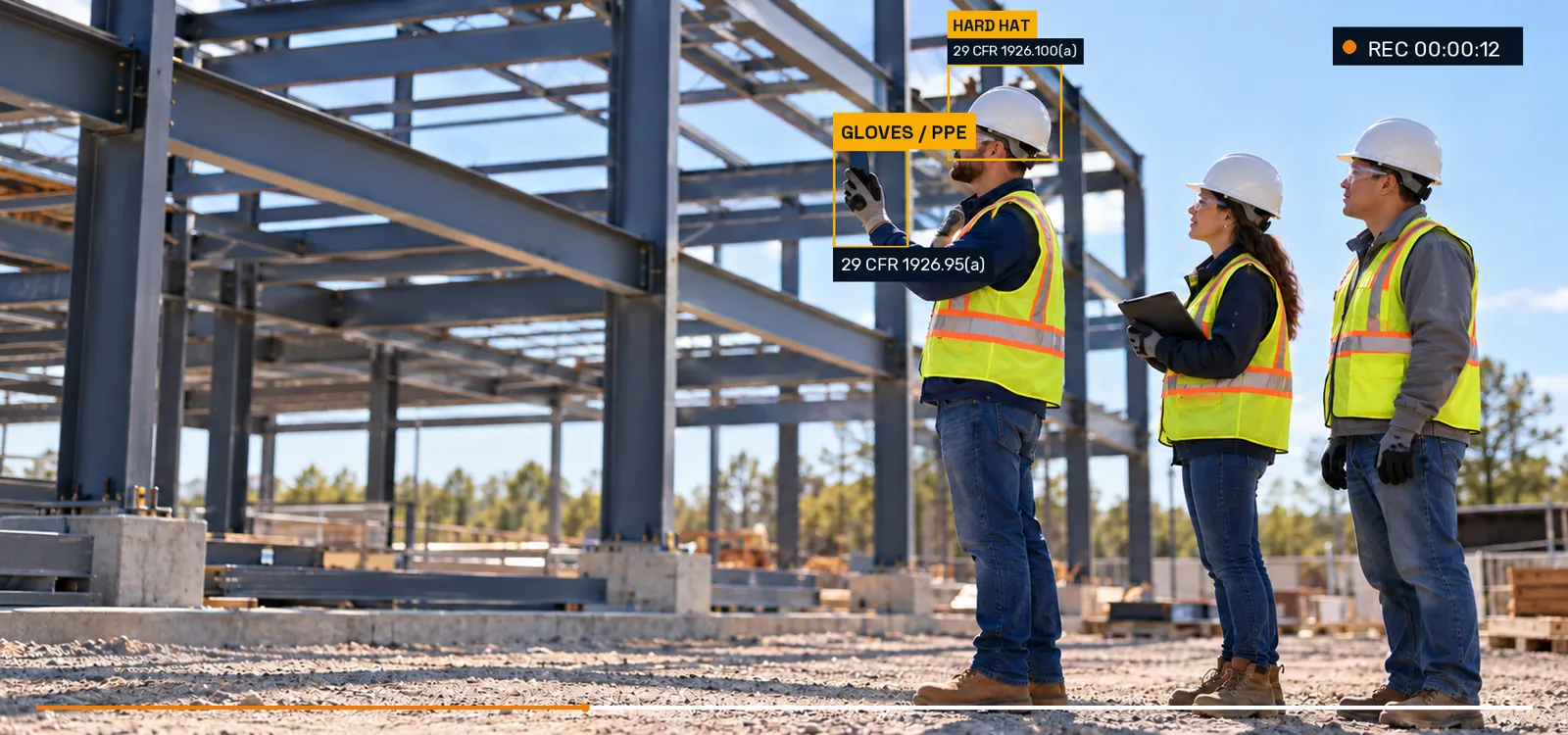
We focus on the work visible in your video and photos: people using ladders, crews working beside edges, PPE, scaffold access and conditions around trenches. A flag identifies a concern and its related OSHA requirement, giving the reviewer a concrete place to start.
That link matters. "Check the edge" is a general instruction. A flag relating to the unprotected-edge requirement tells the safety manager which condition needs assessment and which rule to read. The actual task, exposure and site assessment determine what protection is required.
AI helps your safety team see more; your people still make the call.
Review our construction safety software feature checklist for a closer look at this topic.
What Osha Ask Checks And The OSHA Rule Behind It
The requirements below explain the substance behind common video and photo checks. Height thresholds and exceptions belong to the specific activity; they are not interchangeable.
| Visible Condition | OSHA Requirement | What Needs Attention |
|---|---|---|
| Head, eye and face protection | Protective helmets are required where head-injury dangers exist. Appropriate eye or face protection is required for affected workers exposed to the listed hazards. 1926.100(a), 1926.102(a)(1) | Visible missing protective equipment for the work and exposure being assessed. |
| Unprotected sides and edges | At 6 feet or more above a lower level, the edge provision requires guardrails, safety nets or personal fall arrest. 1926.501(b)(1) | An exposed work position or missing protection beside an edge. |
| Guardrail arrangements | Top rails are generally 42 inches, plus or minus 3 inches, above the working level. Intermediate protection is required as specified when an adequate wall or parapet is absent. 1926.502(b)(1), (2) | Missing or visibly incomplete rail protection that needs a site check. |
| Holes and skylights | Workers must be protected against falls through holes more than 6 feet above a lower level by covers, guardrails or personal fall arrest. 1926.501(b)(4)(i) | Openings and missing visible protective measures. |
| Scaffold work and access | Scaffold fall protection applies above 10 feet. Platforms more than 2 feet above or below access need a permitted route; crossbraces are not access. 1926.451(e)(1), (g)(1) | Missing visible protection or a questionable access arrangement. |
| A portable ladder at an upper landing | Rails extend at least 3 feet above the landing. If ladder length prevents this, the rule allows its secured-top and grasping-device alternative. 1926.1053(b)(1) | A landing-access arrangement needing review. |
| Excavation work | Cave-in protection is required unless the excavation is entirely in stable rock, or is less than 5 feet deep and a competent person finds no sign of a potential cave-in. 1926.652(a)(1) | Visible trench conditions and missing protective measures for the competent person's assessment. |
| Debris and protruding nails | Form and scrap lumber with protruding nails and other debris must be cleared from work areas, passageways and stairs. 1926.25(a) | Visible housekeeping concerns along the work area or route. |
Your site review establishes the details needed to apply each rule.
How Osha Ask Works
Review our OSHA compliance automation for a closer look at this topic.
Capture Video Or Photos On Site
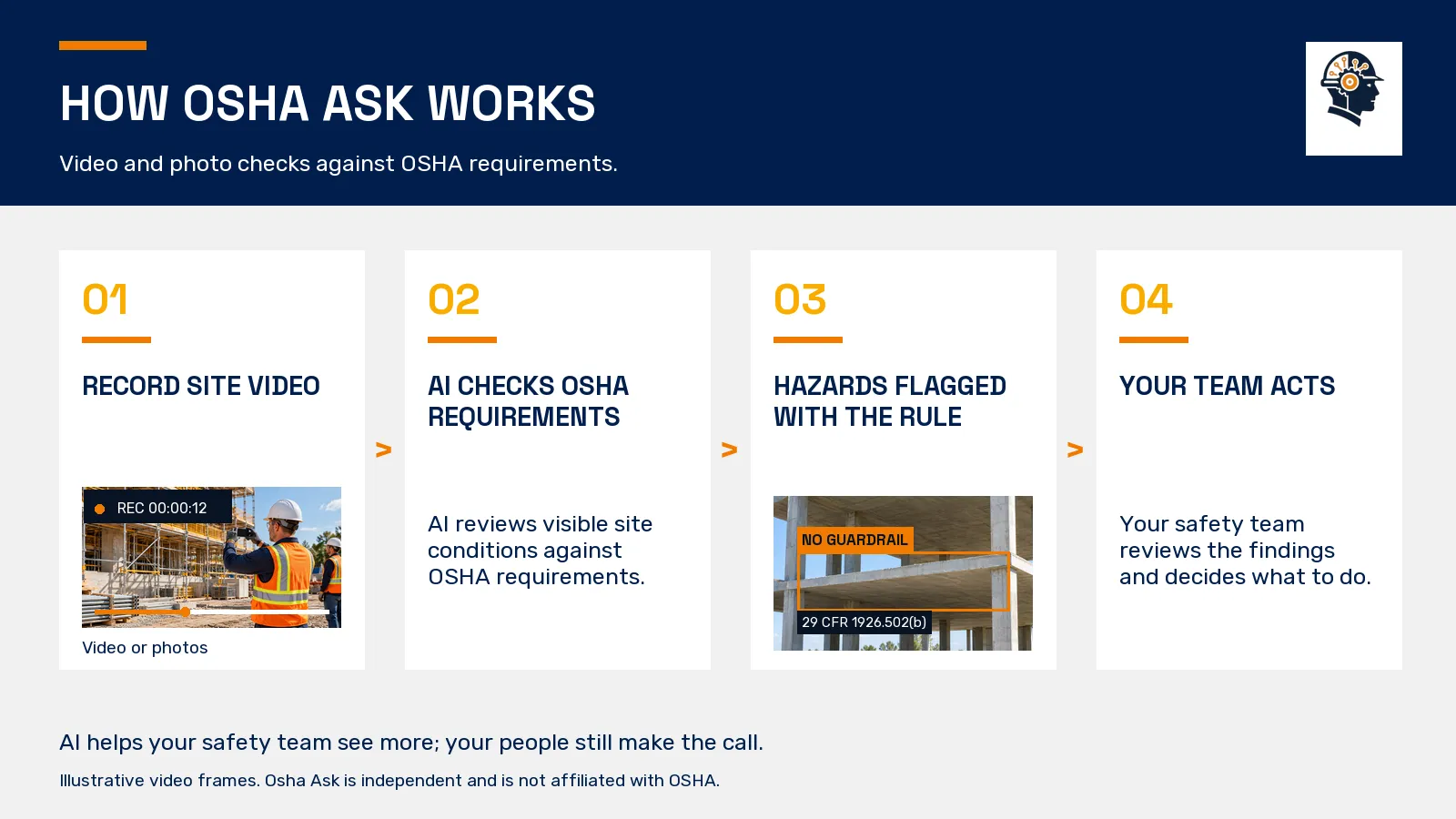
Choose the area and activity you want to review. A photo can show the condition at one moment. Video can show how people move through the work area and how an activity develops over time.
For example, a ladder may appear beside a clear route in one frame, while later footage shows material handling around its base. Reviewing the sequence helps you ask a more useful question about how that access is being used.
We Check What Is Visible Against OSHA Requirements
Osha Ask examines the site video or photos for hazards and missing safety measures. We relate flagged conditions to OSHA requirements, including the edge, PPE, access and excavation provisions above.
You can review a work area with a specific question in mind: protection beside a leading edge, access to a scaffold platform or visible safety measures around a trench. The rule reference gives your safety lead a source to examine alongside the finding.
Review The Flag And Its Related Rule
A flagged condition points to something that deserves attention. Read the related requirement and assess the actual work. The difference between a six-foot edge provision and a scaffold's ten-foot provision is a reason to look at the activity, not just a number.
Our AI video safety monitoring page explains these checks in more detail, including examples of what the footage can show and what a flag concerns.
Your Safety Team Acts
Your team assesses the condition and handles the response. A supervisor may need to inspect the location, coordinate a change with the crew or involve the competent person responsible for the activity.
Use your established process to check the result of that action. The aim is a safety measure in place where it is needed, with the people doing the work understanding the response.
Why Video Helps A Busy Safety Team
A walk-around sees the site during the visit. Work can change after the reviewer leaves: a crew starts another task, material moves across a route or access shifts to another location. Video lets you review the activity shown across a sequence instead of relying on a single still image.
That makes it useful for questions about movement and changing conditions. A clip can show how a worker reaches a platform or how several activities share the same area. A photo remains useful for examining a particular visible detail.
Choose the material around the safety question. For PPE, the work and exposure matter. For edge protection, the position and activity matter. For trench work, the visible arrangement is one part of the competent person's wider assessment.
Start With One High-Risk Work Area
Begin with an area your safety team already needs to review. Leading edges, scaffold work and trenches are practical examples because the activity and protective measures can be described clearly.
Define the task before the demo. Identify the work position, the safety question and the people responsible for checking it. Use footage that explains the activity so the review can focus on a real condition.
Use the construction safety compliance guide for official references and a broader site checklist. It gives the team a common source for discussing the requirements across different task areas.
Introduce Video Checks Clearly To Your Crew
Explain the safety purpose before starting a video-review process. Show the kinds of conditions being checked: missing protection, access concerns, PPE and other visible hazards. Make the response process understandable to the people doing the work.
Tell workers what is recorded, who reviews it and how questions about a finding are handled. Give them a way to explain the task or point out that conditions have changed. Use the review to support safer work and a clear response to concerns.
Agree the recording and data arrangements for your site before adopting a setup. A clear explanation helps the crew understand the purpose and the people responsible for using the information.
Frequently Asked Questions
Can construction software help with OSHA compliance?
Yes. Osha Ask checks job site video and photos against OSHA requirements and flags hazards and missing safety measures. A flag includes the requirement it relates to, such as edge protection, PPE or scaffold access. Your safety team assesses the actual work and decides what response the condition needs.
How do you automate OSHA compliance tracking?
Start with the visible safety conditions you need to check. Osha Ask automates review of job site video and photos against OSHA requirements and flags concerns with their related rules. Your team then assesses and handles the response through its safety process, keeping the people responsible for the work involved.
What is the best OSHA compliance software for construction?
Choose a tool around the safety work you need to support. Review what material it checks, which conditions it flags and whether the relevant OSHA requirements are identified. Osha Ask focuses on video and photo checks. Use a demo to examine footage from a work area your construction team understands.
How much does OSHA compliance software cost?
Ask us about pricing when you book a demo. Tell us which construction activities you want to review, such as leading-edge work, scaffold access or trench conditions. We can explore the video and photo checks around those tasks and discuss the next step for your team.
Does OSHA compliance software replace a safety manager?
No. Osha Ask supports the safety manager by checking site video and photos and flagging concerns with related OSHA requirements. The manager understands the project, the activities and the people involved. Your safety team assesses the findings, handles the response and checks the work through the site's established process.
See Osha Ask Check Your Site Footage
Choose a work area and the safety question you want to examine. See how Osha Ask reviews video and photos against OSHA requirements and flags the condition and the rule it relates to.
Osha Ask is an independent software product and is not affiliated with OSHA or the U.S. Department of Labor.